
Cancel run later
Overview
Cancel run later deletes a previously scheduled event by its unique key. Use this stage to prevent a scheduled task from running after it's been queued with Run later.
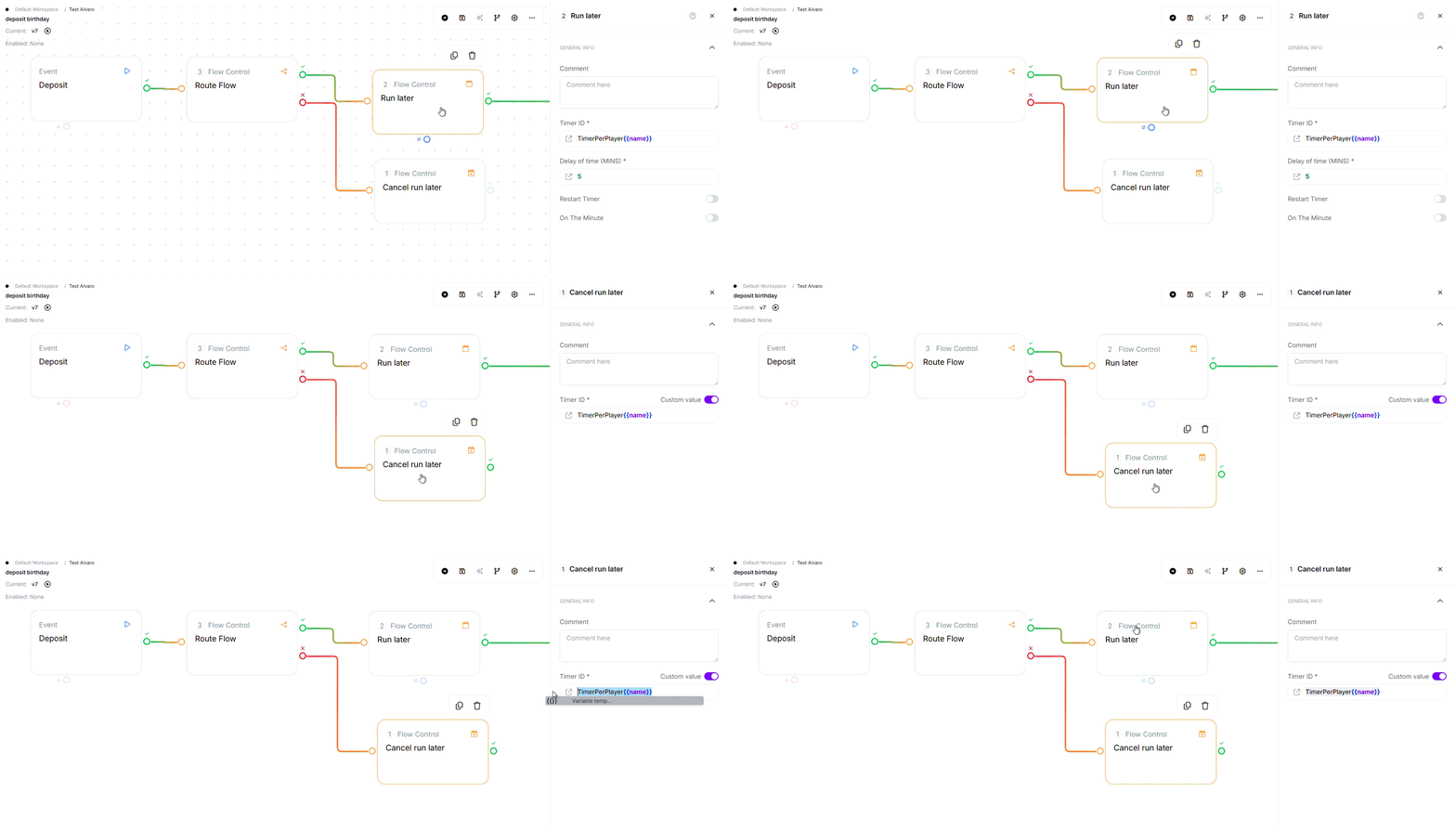
Where to find it: Flow Control in the stage library.
Configuration
Required Fields
| Field | Description | Example |
|---|---|---|
| Timer ID | The same Timer ID you set on the Run later stage that created the schedule. There is no auto-generated variable for this, you store and reuse your own key. Accepts a static value or a variable | {{myTimerKey}} |
Using functions in these fields: Any value field above accepts @ functions, for example @NowSecond for the current time or @calc(...) for a calculation.
See Flows Functions for the full list.
Exit Points
| Exit | When |
|---|---|
| Pass | Always (stage cannot fail - succeeds even if schedule not found) |
How It Works
When executed, the stage:
- Resolves Timer ID - Evaluates the schedule ID variable from flow
- Appends operator ID - Constructs full key with operator isolation
- Deletes schedule - Removes scheduled event from queue
- Returns success - Always routes to Pass (even if nothing was deleted)
Key behavior: Always succeeds even if schedule not found - idempotent operation.
Common Use Cases
1. Order Cancellation with Schedule Cleanup
Cancel order and prevent scheduled processing.
- Update database: Mark order cancelled
- Cancel run later:
{{orderTimerId}}(must match the exact Timer ID used when the schedule was created with Run later) - Add To Response:
orderStatus→cancelled - Return true
Result: Order cancelled + scheduled processing prevented.
2. Conditional Cancellation
Only cancel if status indicates cancellation.
- Route Flow:
{{status}}Equalcancelled- Pass:
- Cancel run later:
{{myTimerKey}} - Return true
- Cancel run later:
- Fail: Return true (no cancellation needed)
- Pass:
Result: Only cancel if status is marked cancelled.
3. Retry Schedule Cleanup
Cancel future retries if current attempt succeeds.
- Call API:
{{endpoint}}(retry attempt) - Route Flow:
{{success}}Equaltrue- Pass:
- Cancel run later:
{{retryTimerId}}(must match the exact Timer ID used when the retry schedule was created) - Return true
- Cancel run later:
- Fail: Return false (retry will happen as scheduled)
- Pass:
Result: Cancel future retries if current attempt succeeds.
4. Batch Schedule Cancellation
Bulk cancel multiple pending schedules.
- Query data: Fetch cancelled_orders where cancel_requested = true
- Loop: Iterate over
{{cancelled_orders}}- Cancel run later:
{{current.timerId}}(the Timer ID you stored on each record when scheduling) - Mark processed in database
- Cancel run later:
Result: Bulk cancel multiple pending schedules.
Key Behaviors
| Feature | Behavior |
|---|---|
| Always Succeeds | ✓ No error exit - stage succeeds even if schedule not found |
| Idempotent | ✓ Can call multiple times safely - already deleted schedules don't cause errors |
| Operator Isolation | ✓ Timer ID automatically includes operator ID - schedules isolated between operators |
| Must Match Run later ID | Timer ID must match the ID used when creating the schedule |
| No Confirmation | No output variable indicates if schedule was found/deleted |
Timer ID Management
Important: Run later does not create an automatic Timer ID variable. You choose the Timer ID value yourself when you set up Run later, and you must reuse that exact same value here to cancel the schedule. Store your own key (in the flow or in storage) so you can reference it later.
Example Flow:
- Run later: Timer ID =
orderReminder_{{orderId}}(a value you define) - Save Data: Store that same key (e.g. as
myTimerKey) with the order - Later, to cancel:
- Fetch Data: Retrieve
myTimerKeyfrom storage - Cancel run later:
{{myTimerKey}}(must exactly match the Run later Timer ID)
- Fetch Data: Retrieve
Best Practices
- ✓ Store Timer ID when creating schedule (save to database or storage)
- ✓ Reuse the exact Timer ID value you set on Run later (store it yourself, e.g.
{{myTimerKey}}) - ✓ Verify Timer ID exists before attempting cancellation
- ✓ Use in cancellation flows to prevent pending executions
- ✓ Test that scheduled event actually cancels before expected execution time
- ✓ Clean up schedules when associated workflows are cancelled
Common Mistakes
| Mistake | Symptom | Fix |
|---|---|---|
| Using arbitrary IDs | Schedule not cancelled (ID doesn't match) | Reuse the exact Timer ID value you set on Run later (e.g. {{myTimerKey}}) |
| Expecting failure if not found | Confusion about success/failure | Stage always succeeds - no error exit even if schedule not found |
| Not storing Timer ID | Can't cancel later because ID unknown | Save your chosen Timer ID (e.g. {{myTimerKey}}) to storage when creating the schedule |
| Forgetting operator suffix | ID mismatch between creation and cancellation | System adds operator ID automatically - use same Timer ID value |
Troubleshooting
| Issue | Common Cause | Fix |
|---|---|---|
| Schedule still executes | Timer ID doesn't match scheduled event ID | Verify Timer ID matches exactly; check for typos or variable issues |
| Can't find Timer ID | Didn't save ID when creating schedule | Always save the Timer ID you set on Run later (e.g. {{myTimerKey}}) for later cancellation |
| Race condition | Cancellation runs simultaneously with schedule execution | Add buffer time; cancel well before scheduled execution time |
| Variable not resolving | Timer ID variable doesn't exist or is empty | Fetch Timer ID from storage before Cancel run later; verify variable name |
Do's and Don'ts
Do:
- ✓ Reuse the exact Timer ID value you set on Run later
- ✓ Store Timer ID when creating schedule
- ✓ Verify Timer ID exists before cancellation
- ✓ Test cancellation in staging environment
- ✓ Clean up schedules in cancellation flows
Don't:
- ✗ Use arbitrary IDs (must match actual schedule)
- ✗ Expect failure exit if schedule not found
- ✗ Assume cancellation is immediate (may take time)
- ✗ Leave schedules orphaned unnecessarily
Edge Cases
- Timer ID not found: Stage still succeeds (no error returned).
- Already cancelled: Stage still succeeds (already deleted).
- Null/empty Timer ID: May cause error during deletion (logged but stage succeeds).
- Race condition: If cancellation runs simultaneously with schedule execution, outcome is unpredictable.
- Multiple calls: Can call multiple times safely - idempotent operation.
Related Stages
- Run later: Creates the scheduled event that this stage cancels
- Save Data: Store Timer ID for later cancellation
- Fetch Data: Retrieve Timer ID when ready to cancel
- Route Flow: Add conditional logic before cancellation