
Script
Overview
Script runs a block of custom JavaScript against your flow's data. Read and write flow variables with real code, instead of chaining several Change Data, Regex, or Look Up stages together for the same logic.
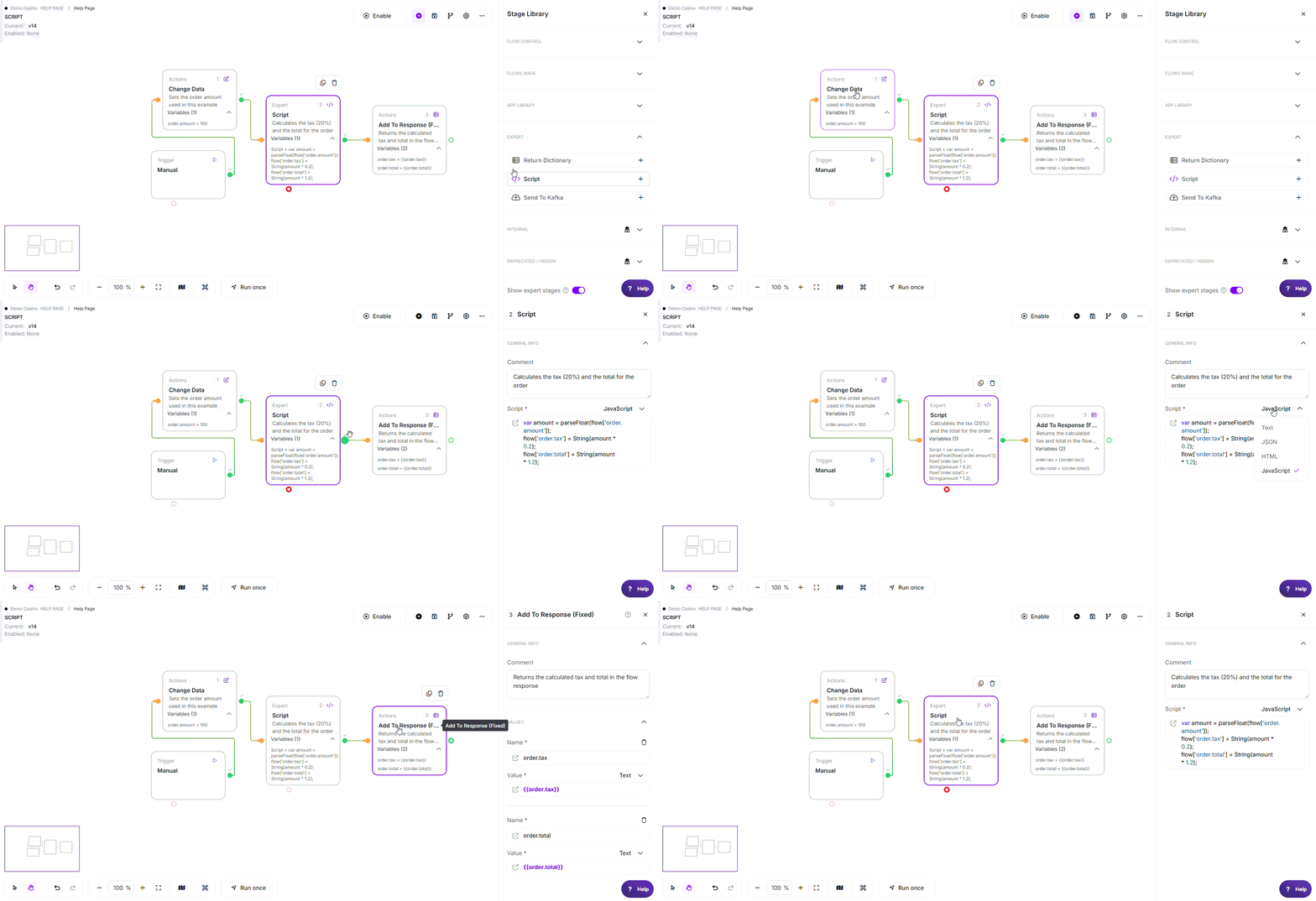
* Example flow demonstrating how Script calculates the tax and total for an order in a single step and passes the results to the flow response.
Where to find it: Expert in the stage library.
When to Use
- Combine several data transformations into one step instead of a long chain of stages
- Loop over a list stored in a variable and build a derived value (sums, joins, filtered lists)
- Reshape the structure of a JSON object before passing it downstream
- Any logic that's awkward with the built-in stages but simple to express in JavaScript
Configuration
Required Fields
| Field | Description |
|---|---|
| Script | The JavaScript to run. You can use {{variable}} tokens anywhere in the code; they're filled in with your flow's values before the script runs. |
Using functions in these fields: Any value field above accepts @ functions, for example @NowSecond for the current time or @calc(...) for a calculation.
See Flows Functions for the full list.
Exit Points
| Exit | When |
|---|---|
| Pass | The script ran to completion without an error |
| Error | The script had a syntax error, hit a runtime error, tried to reach a blocked capability, or ran past the time limit |
There is no Fail exit, only Pass or Error.
How It Works
- Variables are filled in first. Any
{{variable}}in your code is replaced with the flow's value before the script runs. This is a straight text substitution, soflow['greeting'] = `Hello {{name}}`;becomesflow['greeting'] = `Hello Liam`;before the code is read. - Your flow data is available as an object called
flow. Every variable in your flow becomes a property onflow. Values that are valid JSON are turned into real arrays and objects automatically, so you can work with them directly. Anything else comes through as plain text. - Whatever you write onto
flowis saved back to your flow when the script finishes. Any property onflowat that point, whether it was there before or you added it, becomes a flow variable. Arrays and objects are saved as JSON text automatically. - There's no
return. The only way to get data out of a script is to assign it ontoflow. The stage always takes the Pass exit on success, no matter what the last line evaluates to.
Reserved Variables
A small set of system variables can be read from your script but cannot be overwritten. You can copy their values into your own variables, but assigning to them has no effect. The flow keeps its original value.
| Behaviour | Example |
|---|---|
| ✓ Reading is fine | flow['myOperator'] = flow['OperatorID']; |
| ✗ Writing is silently ignored | flow['OperatorID'] = '999'; has no effect |
The reserved names are OperatorID, flow.instance, flowtime, stages, lastresult, success, Started, and any variable starting with connection.
What Scripts Can and Can't Do
| Capability | Behaviour |
|---|---|
| Standard JavaScript | ✓ The usual built-ins are available: JSON, Array, Math, String, and so on |
| Reach into the host system | ✗ Blocked; scripts run in a sandbox with no access to the underlying server or its files |
| Time limit | A script must finish within 10 seconds. A script that runs longer (for example, an endless loop) is stopped and the stage takes the Error exit |
Examples
1. Combine fields into a summary
flow['summary'] = 'Name: ' + flow['name'] + ', Age: ' + flow['age'];
With name = "Liam" and age = "24", this sets summary to "Name: Liam, Age: 24".
2. Do maths across variables
var amount = parseFloat(flow['order.amount']);
    flow['order.tax'] = String(amount * 0.2);
    flow['order.total'] = String(amount * 1.2);
With order.amount = "100", this sets order.tax = "20" and order.total = "120".
3. Loop over a list stored in a variable
var names = [];
    flow['customers'].forEach(function(c) {
      names.push(c.name + ' (age ' + c.age + ')');
    });
    flow['customer.summary'] = names.join(', ');
    flow['customer.count'] = String(flow['customers'].length);
customers was saved as JSON text, so it comes through as a real list you can loop over directly.
4. Change an object and save it back
flow['user'].name = 'Updated';
user is available as an object, so you can change a property on it directly. The updated value is saved back to your flow as JSON text automatically when the script finishes.
Edge Cases
- A script that never writes to
flow: Leaves your flow data exactly as it was - Reading a reserved variable: Always works; only writing to it is ignored
- Syntax errors, runtime errors, and timeouts: All behave the same way. The stage takes the Error exit, and the error message is recorded on the stage
- Ordinary text values: Come through as plain text, not as objects. Only values that are valid JSON are turned into arrays or objects
Best Practices
- ✓ Use Script to replace a long chain of stages when the logic is genuinely easier in code
- ✓ Always assign your results onto
flow['key']; that's the only way to get data out - ✓ Keep scripts short and quick; the 10-second limit is generous but not unlimited
Common Mistakes
| Mistake | Symptom | Fix |
|---|---|---|
| Expecting the last line's value to be captured | The result never appears in the flow | Assign it onto flow, for example flow['result'] = ... |
| Writing to a reserved variable | The value never changes | Copy it into your own variable instead of overwriting it |
| Long-running or blocking logic | The stage takes the Error exit | Keep the script under the 10-second limit |
| Treating an ordinary text value as an object | Runtime error when accessing a property | Only JSON values become objects; check the stored value is valid JSON first |
Related Stages
- Change Data: Simpler single-field transforms without writing code
- Look Up: Static key-to-value mapping, no code required